Why Site Plans Matter More Than Ever
If you’re planning to build, add, renovate, or modify anything on your property—whether it’s a shed, garage, ADU, deck, pool, patio, fence, driveway, or addition—your city or county will almost always require a site plan before they issue a building permit. A site plan is the foundation of your permit application. Without it, approvals stall, reviewers ask for corrections, and project timelines get delayed.
But here’s the challenge:
Most homeowners don’t know what a site plan actually is, what details must be included, or how to create one that meets city, county, and zoning requirements. Many try to sketch their own plan… only to receive a rejection notice because the drawing was “not to scale,” “missing required information,” or “not compliant with zoning setback regulations.”
That’s where professionally drafted, zoning-aligned, permit-ready site plans change everything.
At Site Plans Online USA, we understand exactly what building departments want. With over 10,000+ site plans completed, a 98–99% approval rate, and clients across all 50 U.S. states, our team has seen every type of property, every layout, and every unique zoning rule you can imagine.
Unlike traditional architects or on-site surveyors, our drafting process is:
- Fast — most plans delivered in 24 hours
- Affordable — starting at just $79–$199
- Accurate — drafted using GIS parcel data, aerial imagery, zoning maps
- Fully remote — no site visit required
- Permit-ready — tailored to your city’s exact submission checklist
Across the United States—from California to Florida, Texas to New York—building departments now expect plans that meet strict guidelines. Dimensions must be precise. Setbacks must be accurate. Property lines must match county GIS. Any structure you’re adding must be correctly shown on the parcel. And the plan must be drawn to scale, not just sketched by hand.
This massive homeowner guide will walk you through EVERYTHING you need to know, including:
- What a site plan is
- Why your city requires it
- Types of permits that need site plans
- How to get one professionally drafted
- How much they cost
- What to include
- Examples
- State-specific requirements
- Common reasons for rejection
- The differences between DIY vs hiring a professional
- How to speed up your permit approval
- And more…
By the end of this guide, you’ll understand exactly how to get a permit-ready site plan fast, avoid city rejections, and move your project forward without stress.
What Is a Site Plan for a Permit?
A site plan (sometimes called a plot plan, property plan, or permit site plan) is a scaled drawing that shows:
- Your entire property
- All existing structures
- The proposed structure or modification
- Property lines
- Setbacks required by zoning
- Driveways, fences, decks, utilities
- Distances, dimensions, and easements
- Access points and orientation (north arrow, scale bar)
In simple terms:
A site plan shows your property the way the city needs to see it.
A permit reviewer must quickly understand:
- What you’re building
- Where it will be located
- Whether it meets zoning rules
- Whether it affects neighbors or utilities
- Whether it fits within legal setbacks and easements
Accurate information is critical for the reviewer, and that’s why cities insist on standardized formatting.
2.1 Why Cities and Counties Require Site Plans
Before issuing any permit, your local building department has to verify:
- You’re NOT building over property lines
- You’re NOT encroaching into setbacks
- You’re NOT interfering with easements
- The structure meets local zoning
- The project does not block utilities
- The design does not violate fire, safety, drainage, or access rules
- The property layout matches county records
Without a detailed, labeled, and scaled site plan, the reviewer simply cannot determine compliance.
Cities have thousands of permit requests each year. A clear, uniform site plan helps the reviewer say:
✔ “This meets code — approved.”
or
✘ “This violates setback rules — revise and resubmit.”
2.2 Site Plan vs Plot Plan vs Survey: What’s the Difference?
| Term | Meaning | Required for Permit? |
|---|---|---|
| Site Plan | A scaled drawing showing existing and proposed structures | Yes |
| Plot Plan | Another term for a basic site plan | Yes |
| Survey | A legal boundary measurement performed by a licensed surveyor | Sometimes |
| Architectural Plan | Shows design, materials, elevations | Depending on project |
For 95% of residential permits in the U.S., a site plan is sufficient.
Only a few jurisdictions require certified surveys (mostly for new construction or legal disputes).
2.3 What MUST Be Included in a Permit-Ready Site Plan
Every site plan should include:
Property Information
- Property lines
- Lot dimensions
- Parcel ID
- Address
- Legal description (if required)
Orientation Details
- North arrow
- Scale bar (e.g., 1” = 10’)
- Title block
Existing Features
- House footprint
- Garage or carport
- Driveway
- Sidewalks
- Patios, decks, porches
- Sheds
- Fences
- Trees (sometimes required)
- Utility boxes or meters
- Septic tank / well (if applicable)
Proposed Features
- New structures (shed, pool, deck, ADU, garage, etc.)
- Additions or expansions
- Fence replacement
- Driveway extension
- Patio cover
- Retaining walls
- Drainage improvements
Required Compliance Items
- Zoning setbacks (front, side, rear)
- Easements
- Distance measurements
- Height notes (sometimes required)
Cities will immediately reject plans missing any of these items.
Types of Permits That Require a Site Plan
Nearly every property change in the U.S. requires a site plan.
Here are the most common categories:
3.1 Residential Projects That Require a Site Plan
✔ Sheds & Storage Buildings
Almost every state requires a plan showing:
- distance from property lines
- structure size
- foundation type
- access points
✔ Garages (Attached & Detached)
Cities review:
- fire separation distances
- driveway connection
- setbacks from neighbors
✔ Accessory Dwelling Units (ADUs)
One of the most regulated structures.
Cities check:
- utility access
- parking requirements
- zoning restrictions
- lot coverage limits
✔ Decks, Patios & Porch Additions
Site plans must show:
- deck footprint
- height
- relation to house and property lines
✔ Swimming Pools & Hot Tubs
Require:
- safety barriers
- setbacks
- distance to septic systems
- drainage considerations
✔ Fences
Even a simple fence replacement may require:
- property line review
- height restrictions
- corner visibility triangles
✔ Home Additions / Renovations
Cities verify:
- lot coverage
- setbacks
- access routes
- building separation
3.2 Commercial Projects That Require a Site Plan
For businesses, site plans become more complex.
They typically include:
- parking layout
- ADA access routes
- drainage plans
- dumpsters
- fire lanes
- signage
- lighting
Your Professional Site Plan tier ($119) fits these needs perfectly.
3.3 Subdivision Projects
Required for:
- parcel splits
- new access roads
- grading
- easements
Your Custom & Subdivision Drafting service fits this category.
How to Get a Site Plan for Permit (Step-by-Step Guide)
One of the biggest advantages of SitePlans.online is that homeowners don’t need:
- an architect
- a surveyor
- a contractor
- physical measurements
- expensive CAD experts
Everything is drafted remotely using:
✔ GIS parcel data
✔ Aerial satellite imagery
✔ Property records
✔ County tax maps
✔ Zoning ordinances
✔ Utility overlays
Step 1 — Provide Your Property Address or Parcel ID
This lets the drafting team pull:
- property boundaries
- lot dimensions
- existing structures
- neighborhood layout
- zoning district
Step 2 — Provide a Short Description of Your Project
Examples:
- “10×12 shed in backyard near the fence.”
- “Pool installation on the right side of property.”
- “Extending driveway 20 feet.”
- “New deck behind house.”
- “ADU addition — 400 sq ft.”
Optional (but useful):
- photos
- sketches
- contractor drawings
Step 3 — The SitePlan Team Drafts Your Plan to Scale
Using:
- professional CAD software
- GIS measurements
- zoning tables
- parcel outlines
- aerial data
They ensure:
✔ accurate dimensions
✔ correct setbacks
✔ proper orientation
✔ zoning compliance
Step 4 — Receive Your Plan in 24 Hours
Delivered in:
- PDF (print-ready, accepted by all cities)
- PNG/JPG (optional)
- DWG (Elite tier)
Revisions are completed in under 12 hours.
DIY vs Professional Site Plans
A major question every homeowner asks is:
“Should I draw my own site plan or hire a professional?”
Both are possible—cities do not require a homeowner to hire an architect—but the success rate varies dramatically.
Below is an objective comparison grounded in hundreds of U.S. municipality requirements and real permit reviewer feedback.
5.1 Can You Draw Your Own Site Plan?
Yes—but with limitations.
Homeowners who draw their own plans usually sketch something like this:
- A basic outline of the house
- A box representing the deck or shed
- A few hand-written dimensions
- No scale
- No setbacks
- No parcel boundaries
- No zoning notes
This might seem acceptable, but cities typically reject hand-drawn plans for three reasons:
1. They’re not to scale.
Permit reviewers must verify measurements quickly and accurately.
2. They’re missing required elements.
Missing easements, north arrow, setbacks, utilities, or lot dimensions is an instant rejection.
3. They don’t match county GIS or parcel data.
Reviewers cross-check your drawing with official records.
If it doesn’t match the county’s property measurements, they reject it.
Because of this, cities like:
- Los Angeles, CA
- Miami-Dade, FL
- Austin, TX
- Seattle, WA
- Phoenix, AZ
- Charlotte, NC
all strongly “recommend” professional drafting.
Many even state:
“Hand-drawn site plans are discouraged unless clearly to scale.”
5.2 Why Professional Site Plans Get Approved Faster
A professionally drafted site plan uses:
✔ GIS parcel lines
✔ Aerial imagery
✔ Zoning codes
✔ County dimension overlays
✔ CAD software (AutoCAD / ArcGIS)
✔ Accurate scaling
This means:
- Zero guesswork
- No incorrect dimensions
- No missing data
- No mismatched distances
- No formatting errors
That’s why online companies like:
- mysSitePlan
- getasiteplan
- 24hplans
- ProSitePlans
- Site Plans Online USA
dominate the market — cities trust professionally drafted drawings because reviewers can scan and verify them in seconds.
5.3 DIY vs Professional — Side-by-Side Comparison
| Feature | DIY Homeowner Plan | Professional Plan |
|---|---|---|
| Accuracy | Low | High (GIS + CAD) |
| Approval Rate | 40–60% | 98–99% |
| To-Scale Drawings | Rarely | Always |
| Includes Setbacks? | Often missing | Included |
| Includes Easements? | Usually missing | Included |
| Matches Parcel Records? | Sometimes | Always |
| Accepted Nationwide? | Depends on city | Yes |
| Cost | Free | $79–$199 |
| Time Required | 2–5 hours | Delivered in 24h |
| Revisions | Hard to fix | <12 hours |
5.4 When DIY Site Plans Might Work
DIY plans may work for:
- Very small rural towns
- Fence replacements
- Minor deck repairs
- Shed under ~100 sq ft
- Cosmetic improvements
However, many cities still require:
- scale
- setbacks
- property lines
- measurements
- north arrow
- existing structures
If any of these are missing, the plan gets rejected.
5.5 When a Professional Site Plan is Essential
Professional drafting is recommended for:
- ADUs
- Pools
- Garages
- Additions
- Driveway expansions
- Commercial plans
- Anything needing precise setbacks
- Any project requiring HOA approval
- Any project in a major city
If your city uses an online portal like:
- Accela
- CityView
- EnerGov
- MyGovernmentOnline
they almost always expect a professionally formatted PDF.
5.6 Why Site Plans online USA Outperforms DIY + Competitors
Your service provides:
✔ 24-hour turnaround
✔ Flat-rate pricing
✔ Plans for all 50 states
✔ Zoning-aligned layouts
✔ Unlimited minor revisions
✔ GIS data + CAD accuracy
✔ Plans accepted by all U.S. cities
✔ Affordable packages (Basic → Elite)
You directly compete—and in many cases outperform—mysiteplan, getasiteplan, and 24hplans by offering:
- faster delivery
- clearer layouts
- better pricing
- more accurate zoning handling
- custom plans for unique properties
State-by-State Requirements for Site Plans
Every state in the U.S. accepts non-certified site plans for most residential permits.
However, each region has different rules on:
- setbacks
- lot coverage
- building separation
- pool requirements
- ADU placement
- fence height
- driveway slope
- drainage
- trees
The list below gives a useful breakdown of the most requested states.
6.1 California Site Plan Requirements
Cities in CA are strict due to:
- wildfire zones
- hillside elevations
- ADU regulations
- coastal building zones
Common requirements:
- to-scale drawings (mandatory)
- lot coverage calculations
- ADU parking notes
- fire separation
- height limits
Cities like Los Angeles, San Diego, Sacramento, and San Jose use digital permitting systems — this favors accurate, CAD-based plans.
6.2 Florida Site Plan Requirements
Florida has:
- hurricane safety rules
- flood zone maps
- wind load requirements
Cities often require:
- drainage arrows
- flood zone notes
- setbacks shown clearly
Common projects requiring site plans in FL:
- screen enclosures
- pools
- lanais
- sheds
- fences
6.3 Texas Site Plan Requirements
Texas focuses on:
- setbacks
- utility easements
- septic well distances
- driveway approach details
- HOA rules
Cities like Austin, Dallas, Houston require very clear parcel outlines.
6.4 New York Site Plan Requirements
NY has:
- strict zoning
- compact lots
- historic districts
- multi-family restrictions
Plans must be:
- to scale
- labeled with building separation
- include fire access paths
6.5 Washington State Requirements
Due to terrain, many WA cities require:
- slope notes
- critical area notes
- stormwater notes
- buffers
Your Elite Plan (topography + vicinity map) is perfect for this.
6.6 Rest of the 50 States
In:
- Arizona
- Georgia
- Illinois
- North Carolina
- Colorado
- Nevada
requirements mostly include:
- parcel boundaries
- setbacks
- structure dimensions
- utilities
- north arrow
- scale
In general:
👉 All 50 states accept the site plan formats you produce.
Cost of Getting a Site Plan for Permit
Cost varies widely depending on how and where you get your plan.
Here is the complete pricing breakdown.
7.1 DIY Cost (Homeowner Sketch)
- Paper & pen
- 2–4 hours of work
- Multiple rejections possible
Total cost: Free but high risk
7.2 Hiring a Local Architect
Architects may charge:
- $500–$2,000 for a simple site plan
- $3,000+ for commercial plans
Turnaround time:
- 1–3 weeks
Pros:
- certified drawings
- high accuracy
Cons:
- slow
- expensive
- unnecessary for most permits
7.3 Hiring a Licensed Surveyor
Survey cost:
- $900–$2,500
- only required for boundary disputes or new construction
Cities rarely require surveys for sheds, pools, ADUs, or decks.
7.4 Using an Online Site Plan Service (Best Option)
Your pricing is among the most competitive in the industry:
✔ Basic Plan — $79
✔ Advanced Plan — $99
✔ Professional Plan — $119
✔ Elite Plan — $199
Compared to competitors:
| Company | Base Price | Turnaround |
|---|---|---|
| MySitePlan | $119 | 2–3 days |
| GetASitePlan | $145 | 24–48 hours |
| 24hPlans | $199 | ~24 hours |
| ProSitePlans | $150 | 1–2 days |
| Site Plans online USA | $79 | 24 hours |
This makes your service:
- more affordable
- faster
- equally accurate
- more consistent
7.5 What You Get for the Price
All packages include:
✔ GIS accuracy
✔ CAD drafting
✔ To-scale drawings
✔ Setbacks
✔ Property lines
✔ Existing structures
✔ Proposed structures
✔ Measurements
Advanced packages add:
- topography
- custom structures
- parking layouts
- landscaping
- vicinity maps
- DWG files
7.6 Hidden Costs to Watch For (Other Companies vs Yours)
Some competitors charge extra for:
- adding a driveway
- labeling trees
- ADU setbacks
- fence line measurements
- revisions
- rush orders
- extra structures
- HOA formatting
- CAD files
You avoid this by offering:
✔ Flat-rate packages
✔ Free minor revisions
✔ Rush delivery included in Elite
✔ No upselling surprises
This transparency builds trust and helps conversions.
Common Site Plan Rejections (Why Projects Get Delayed)
Understanding why site plans fail approval helps homeowners avoid costly delays.
Across thousands of U.S. city submissions, the most common failure reasons fall into a few predictable categories.
Below is a complete breakdown.
8.1 Missing Required Elements
Most cities have a checklist requiring:
- North arrow
- Scale
- Property lines
- Setbacks
- Dimensions
- Easements
- Driveways
- Existing vs proposed structures
- Utilities
If any of these are missing, the reviewer immediately sends back a correction notice.
Cities that are most strict about missing details include:
- Los Angeles, CA
- Seattle, WA
- Miami-Dade, FL
- Phoenix, AZ
- New York City, NY
- Austin, TX
- Charlotte, NC
A professional drafting service includes all required details automatically — this is a major SEO selling point for SitePlans.online.
8.2 Not Drawn to Scale (Top Reason for Rejection)
Cities cannot approve a plan unless they can verify:
- structure size
- distance from property lines
- distance between buildings
Hand drawings often claim:
“Deck is 10 ft from the fence.”
But on GIS maps, the deck is only 6.2 ft away.
This mismatch causes instant rejection.
Your plans use CAD + GIS → guarantees scale accuracy.
8.3 Using Outdated Parcel Information
Property boundaries change when:
- homeowners add or remove fencing
- subdivisions split lots
- counties update GIS maps
DIY plans often rely on old PDF property records.
Your system uses up-to-date GIS + parcel overlays, which prevents “boundary mismatch” errors.
8.4 Incorrect Setback Measurements
Every city has different setback rules.
Examples:
- California ADUs require 4 ft side/rear setbacks
- Florida pools require screen enclosure setbacks
- Chicago requires 30 ft front setbacks in some zones
- Texas septic systems require 100 ft well distance
Most homeowners don’t know their zoning code and accidentally violate these rules.
Your plans automatically calculate the correct setback envelope.
8.5 Missing Easements (Major Permit Killer)
Easements include:
- utility easements
- drainage easements
- public access easements
- conservation easements
Building inside an easement is illegal in many states.
DIY plans often skip them.
Your plans always include easement boundaries where available.
8.6 Structures Not Labeled Correctly
Reviewers must instantly understand:
- existing vs proposed
- demolished vs new
- temporary vs permanent
- accessory vs primary
Incorrect labeling forces them to request clarification.
Your drafting style clearly labels all structures.
8.7 HOA Rejections (Separate from city permits)
HOAs frequently require:
- landscaping details
- specific formatting
- color-coded annotations
- neighbor structure distance
- pathway/driveway details
SitePlans.online offers simple HOA-friendly layouts for quick approvals.
8.8 PDF Formatting Problems
Surprisingly, many plans get rejected because:
- PDF is low quality
- Text is blurry
- Dimensions are unreadable
- Scaling prints incorrectly
- File is wrong orientation (portrait instead of landscape)
Your PDF formatting ensures:
✔ high resolution
✔ clear lines
✔ proper page size
✔ to-scale printing
Real Examples of Site Plans
Homeowners often ask:
“What does a real site plan look like? What will I receive?”
Below is a breakdown of standard plan types you deliver.
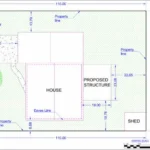
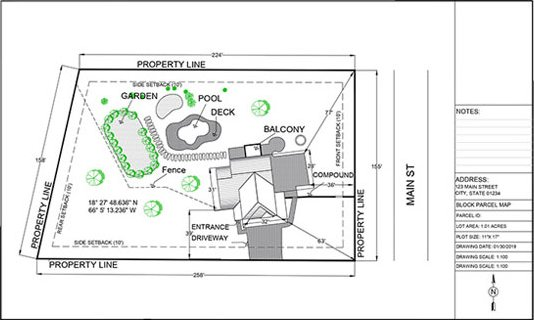
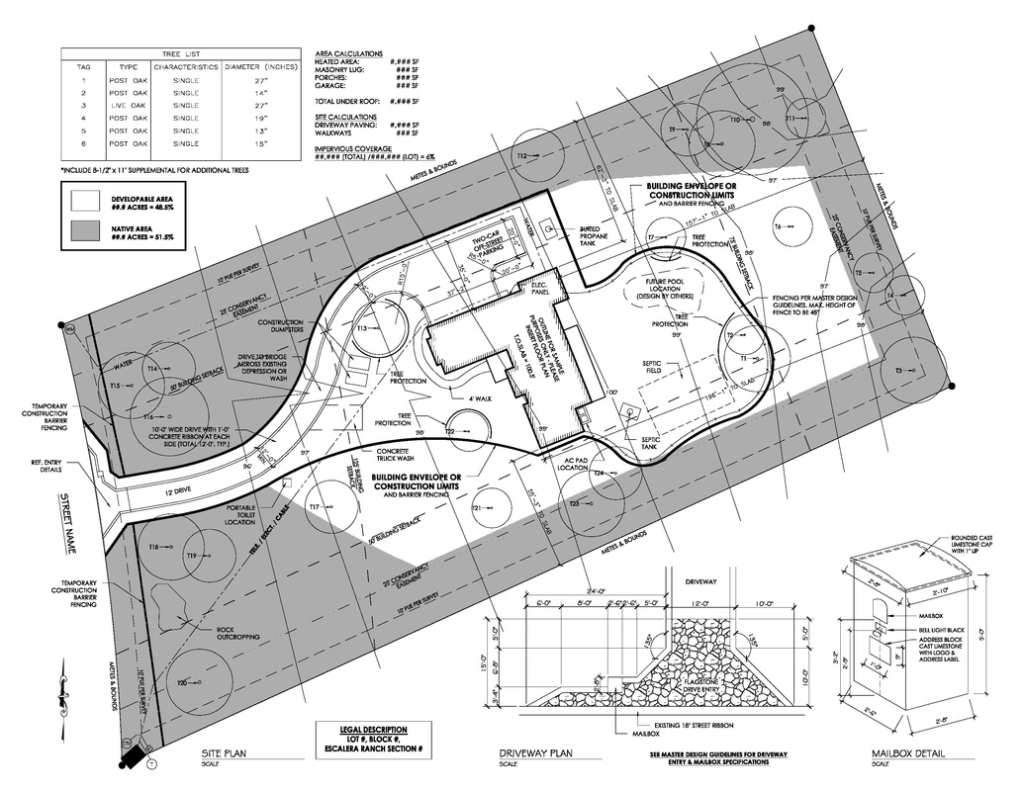
9.1 Example 1 — Basic Residential Site Plan
Used for:
- sheds
- fences
- patios
- small decks
- playhouses
Typical elements:
- property lines
- house footprint
- driveway
- setbacks
- proposed structure (highlighted)
- distance from fence/property line
Simple, clean, and accepted by almost every city.
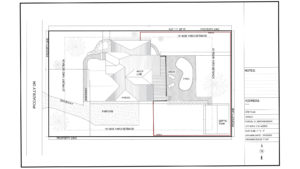
9.2 Example 2 — Advanced Site Plan (with Landscaping)
Used for:
- medium decks
- pools
- home additions
- large patios
- driveway expansions
Includes:
- trees
- shrubs
- landscape notes
- drainage arrows
- pool enclosure lines
- elevation callouts (if needed)
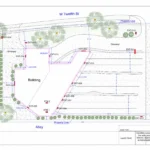
9.3 Example 3 — Professional Site Plan (Commercial)
Used for:
- office buildings
- retail spaces
- warehouses
- parking layouts
- dumpsters
- loading areas
Contains:
- ADA parking
- fire access
- lighting
- signage
- stormwater flow
- ingress/egress arrows
9.4 Example 4 — Elite Site Plan (Topography + Vicinity Map)
Used for:
- hillside properties
- complex lots
- subdivisions
- critical areas
- engineer-requested plans
Includes:
- contour lines
- slope analysis
- setback envelopes
- vicinity map
- larger sheet size
- DWG + PDF
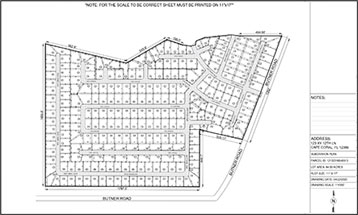
9.5 Example 5 — Subdivision / Parcel Split Plan
Includes:
- new parcel boundaries
- lot numbers
- proposed access roads
- fire truck turnaround
- utilities
- drainage
- grading overview
Often required by counties before granting approval for land division.
9.6 Example 6 — HOA Site Plan
Includes:
- color highlights
- landscape changes
- driveway material notes
- fence type and height
- neighbor proximity
FAQs (All imp queries replied from our experts)
1. How fast can I get my site plan?
Most standard site plans are delivered in 24 hours, but here’s the step-by-step process so you know exactly what to expect:
1. You place an order or submit your project details
2. Our team reviews your address, parcel data, and zoning requirements
3. Drafting begins immediately using GIS, aerial maps, and CAD tools
4. Your plan is prepared to scale and formatted for permit submission
5. We email the final PDF (and any other requested files)
For highly detailed or complex properties (commercial, multi-unit, topographic or subdivision plans), delivery may take 48–72 hours, but we always tell you upfront before starting.
2. Do you require a site visit?
No — we do not need to visit your property because we use:
- GIS parcel data
- County property records
- Zoning maps
- Aerial/satellite imagery
- Measurements based on online geospatial sources
If you want to improve accuracy:
You can upload any sketch, survey, measurements, photos, or city guidelines you received. We integrate all of it directly into your plan.
3. What information do you need to start drafting my site plan?
To create an accurate, permit-ready plan, we need just a few details:
Required (minimum)
- Property address OR parcel number (APN / PID)
- What you are building (e.g., deck, shed, garage, pool, fence, ADU)
- Approximate size of the structure
- Where on the lot it will be located (you can describe with text or a simple sketch)
Optional (but very helpful)
- Photos of your yard
- HOA guidelines
- City permit instructions
- Builder drawings
- Hand-drawn sketches
- Previous plans or surveys
If anything is missing, we will guide you step-by-step so nothing delays your permit.
4. Are your site plans accepted in all U.S. cities?
Yes — our plans are created to meet standard city and county permit requirements nationwide.
However, because every jurisdiction is slightly different, here’s how we ensure acceptance:
- You give us the city/county name
- We check their zoning + setback rules
- We format the plan to match their checklist
- We make revisions quickly if the city requests updates
Your plan is prepared to the submission format used in all major permitting systems including:
- City of Los Angeles
- Austin Build + Connect
- Miami-Dade ePermitting
- New York DOB
- Florida city/county portals
- Texas, Arizona, Georgia, Washington, Illinois, etc.
5. Do you create floor plans and elevation drawings?
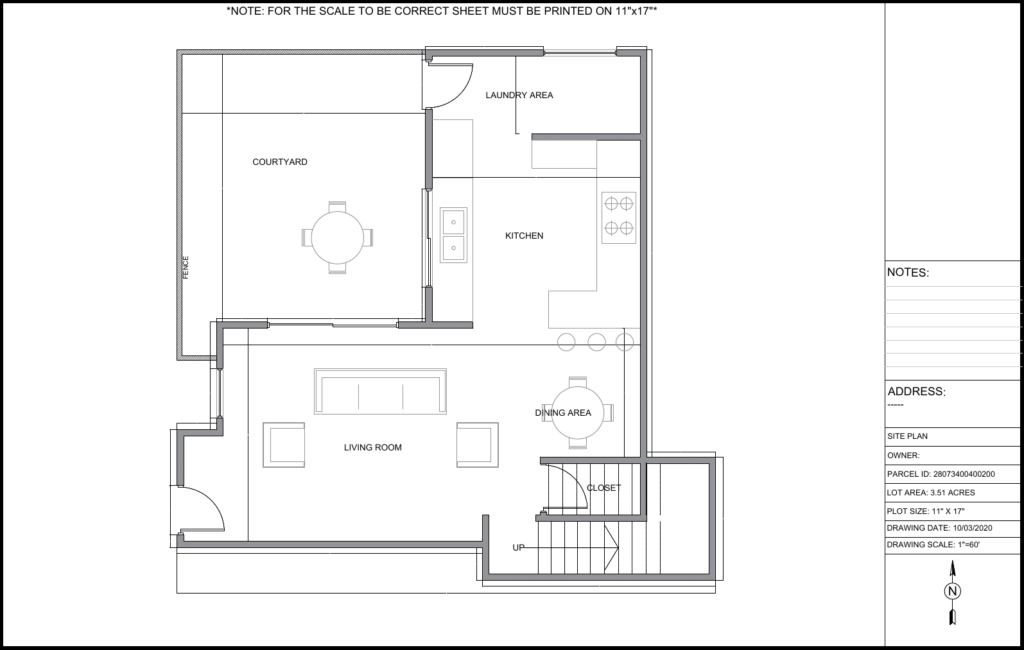
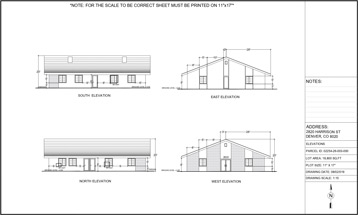
Yes — we offer both 2D floor plans and elevation drawings for homeowners who need a full permit package.
Floor Plans Include:
- Room layout
- Door/window locations
- Dimensions
- Wall thickness
- Stairs, openings, fixtures
Elevations Include:
- Front view
- Rear view
- Left + right side
- Roof slope & height
- Exterior finishes
- Structure height details
These drawings are commonly needed for:
- ADUs
- Garage conversions
- Additions
- Remodels
- New structures
6. What if my city requires changes?
If the city requests updates, we follow a simple 3-step revision process:
Step 1 — Send us the requested changes
This can be:
- a screenshot
- comment from the permit reviewer
- a PDF with redlines
Step 2 — We update the drawing
Minor revisions (such as adding a note, adjusting a measurement, moving a structure) are normally completed within 12 hours.
Step 3 — You receive the updated files
We re-send the PDF and any other requested formats (DWG, JPG, etc.).
We make sure your final plan aligns with the city checklist so the permit moves forward smoothly.
7. How do I place an order?
Here’s the step-by-step process:
1. Click any “Get This Plan” button or go to the Contact page.
2. Fill in your project details (address, proposed structure, size).
3. We confirm requirements + send a Payoneer invoice with 10% discount (if eligible).
4. Drafting begins immediately after payment confirmation.
5. Final site plan delivered by email as a PDF within 24 hours.
We keep the process simple, fast, and homeowner-friendly.
8. Can I draw my own site plan?
Yes — but most DIY plans get rejected because cities require:
- proper scale (1” = 10’, 1” = 20’, varies by region)
- zoning-compliant setbacks
- accurate distances
- consistent measurement notation
- north arrow + scale bar
- parcel boundaries
- structure footprints
If you choose DIY, you still need CAD-level accuracy.
Most homeowners prefer hiring us because our plans follow the exact format used by U.S. building departments.
9. What formats do you deliver the final plan in?
By default, you receive:
- PDF (permit-ready)
- JPG (easy preview)
For advanced or Elite plans, we can also deliver:
- DWG (AutoCAD)
- PNG
- Scaled vector file
- High-resolution print sheet (24×36)
You can request any format you need.
10. Do I need a certified engineer or architect?
Most residential permits (shed, fence, pool, deck, garage, patio, ADU, home addition) do NOT require a licensed architect or engineer for the site plan.
However, you may need a certified drawing if:
- you are altering structural components
- the city requires stamped plans
- you are building a large ADU
- you have major grading or drainage changes
- it’s a commercial development
If your project needs stamped plans, we tell you upfront before we start.
11. What if I don’t know where my property lines are?
No problem — we can still create your site plan using:
- GIS mapping
- County parcel data
- Lot dimensions from assessor records
- Aerial imagery
- Comparative mapping
If exact boundaries are unclear, we will draft using publicly available parcel dimensions, which are accepted for most residential permits.
12. Can I request custom measurements or layout adjustments?
Yes — just tell us what you need:
- Move a structure
- Change location of a deck
- Add fencing
- Add pool dimensions
- Adjust driveway layout
- Include setback distances
- Add trees, shrubs, or utilities
We revise the plan until it matches your property and permit requirements.
13. Do you handle zoning compliance?
Yes, all plans are checked for:
- required setbacks
- maximum coverage rules
- height restrictions
- easements
- special overlays (flood zone, coastal zone, historic zone, etc.)
- utility clearance requirements
If your project does not meet zoning rules, we will notify you and suggest acceptable placement options.
14. What happens if my property is irregular, sloped, or difficult to measure?
We handle:
- flag lots
- triangular lots
- slopes
- hillside builds
- unusual parcel shapes
- corner lots
- zero-lot-line conditions
We use advanced GIS mapping and multi-source elevation tools to ensure accuracy.
15. Can you draw structures that do not exist yet?
Yes — we include:
- new decks
- new sheds
- new garages
- ADUs
- home additions
- pergolas
- patios
- pools
- retaining walls
- driveway extensions
We draft the proposed structure exactly as needed for your permit.
16. Can you include setbacks on my site plan?
Yes. Setbacks are one of the most important elements of a permit-ready site plan.
Here’s how we handle them:
1. You provide your city/county name
2. We check the zoning code (R-1, R-2, R-3, etc.)
3. We review front, side, and rear setback requirements
4. We mark them clearly on your drawing
5. We verify that your proposed structure does NOT violate the setback rules
If your project doesn’t fit inside the legal setback area, we suggest alternative placements so the city will approve your permit.
17. Do you include easements?
Yes — if the city or property requires it.
We identify easements through:
- zoning maps
- GIS parcel layers
- county public records
- utility right-of-way data
- client-supplied surveys
Typical easements we show:
- drainage easements
- utility easements
- sewer/water easements
- access easements
- right-of-way areas
We mark them on the plan so your permit reviewer can see the exact constraints.
18. Can you draft a site plan for a property that has no visible structures yet?
Yes. If your lot is empty or partially undeveloped, we can create:
- a base site plan showing only parcel boundaries
- a proposed layout
- location of future structures
- driveway placement
- utility connection points
You can also request:
- grading notes
- topo/elevation lines
- construction boundaries
This is commonly needed for new construction permits.
19. What if I only have a hand-drawn sketch?
That is perfectly fine. Many homeowners send:
- sketches
- phone pictures
- drawings on notebook paper
- rough layouts
We convert your sketch into:
- clean CAD drawings
- to-scale
- properly dimensioned
- formatted for permit submission
We may ask questions for clarity, but you don’t need to be precise — we handle that part.
20. Can you include trees, shrubs, and landscaping?
Yes. Landscaping elements can be added to any plan. Many cities require:
- tree locations
- diameter at breast height (DBH)
- drip lines
- landscaping changes
- planting beds
- shrubs
- removal notes
If your city requires a landscaping site plan or a tree protection plan, we format it according to their checklist.
21. Can you draft HOA-specific site plans?
Yes — HOAs often require more visual clarity than cities.
We can include:
- color-coded features
- additional labeling
- setbacks
- landscaping
- material notes
- HOA-requested dimensions
We can also revise the plan quickly if your HOA board asks for changes.
22. What if the city needs my plan printed on a specific sheet size?
We can export your plan in:
- 8.5 x 11 (Letter)
- 11 x 17 (Tabloid)
- 18 x 24
- 24 x 36 (Architecture D)
- Custom sizes
Just tell us the required sheet size — we format it before delivery.
23. Can you show utilities on my site plan?
Yes — we can include:
- water lines
- sewer lines
- gas
- electrical
- septic systems
- well locations
- utility meters
If your city has special utility requirements, we follow them exactly.
24. Can you create a drainage plan?
Yes — many counties require drainage notes when adding new structures.
We can include:
- slope direction arrows
- grading notes
- runoff instructions
- swales
- drainage paths
- contour lines (Elite plan)
Some cities ask for stamped drainage plans from engineers — if that applies, we will notify you in advance.
25. Can you combine multiple structures into one site plan?
Yes — your site plan can include any combination:
- new shed + deck
- pool + fence
- ADU + driveway extension
- patio + pergola
- garage + landscaping
We draw each structure clearly so the city can see the complete layout.
26. What if I don’t know the exact dimensions of my house or property?
We can extract dimensions from:
- GIS records
- parcel maps
- previous surveys
- online assessor data
- aerial imagery
You can also send approximate measurements, and we’ll refine them using verified mapping sources.
27. Can you create a commercial site plan?
Yes — our commercial plans include:
- parking layouts
- ADA access
- utility lines
- dumpster locations
- lighting
- ingress/egress
- fire lanes
- building footprints
We follow local commercial permit guidelines to ensure approval.
28. Do you include ADA compliance details?
Upon request, we include:
- accessible parking spaces
- van-accessible markings
- curb ramps
- route-of-travel paths
- slopes (if needed)
Some cities require architect-stamped ADA plans; if so, we notify you before drafting.
29. Can you include a vicinity map?
Yes — for some counties this is mandatory.
We add:
- your project location
- surrounding streets
- North arrow
- scaled outline
Vicinity maps are included in the Elite plan or added upon request.
30. Can you include topography (elevation lines)?
Yes — if requested.
We pull elevation data using:
- digital elevation models (DEM)
- USGS terrain data
- state/local GIS elevation layers
This is common for hillside or sloped properties.
31. How accurate are your measurements?
We use multi-source mapping to maximize accuracy:
- GIS parcel lines
- assessor lot dimensions
- aerial mapping
- scaled CAD measurement tools
- client-provided measurements
Accuracy is typically within 1–2 inches for standard residential lots.
32. Do cities accept digitally drafted site plans?
Yes. Nearly all building departments now accept:
- digital PDFs
- digitally drawn CAD plans
- scanned submissions
If your city requires a physical copy, you can simply print the PDF at home or at any print shop.
33. Do you offer rush delivery?
Yes — we offer:
- Standard: 24 hours
- Priority: 12 hours
- Express: 4–6 hours (case-by-case)
Rush plans are handled by senior drafters.
34. What if the city rejects my site plan?
This is extremely rare, but if it happens:
- You forward the rejection comments
- We review the required corrections
- We revise the plan
- You receive an updated version at no cost (if it’s minor)
- We guide you on meeting tricky zoning requirements
We stay with you until the plan is accepted.
35. What kinds of structures require a site plan?
Common residential projects requiring site plans:
- sheds
- garages
- ADUs
- pools
- decks
- porches
- patios
- pergolas
- driveways
- fences
- additions
- solar installations
For commercial properties, nearly every modification requires a site plan.
36. Can you include a proposed pool on the site plan?
Yes, we can include:
- pool outline
- setbacks
- pool equipment location
- safety fence
- decking
- utilities
Cities often have pool-specific rules, and we follow them precisely.
37. Can I send photos from my phone?
Absolutely — mobile photos are useful for:
- identifying obstacles
- confirming yard layout
- knowing where fences or trees are
- clarifying placement
Even rough photos help us draft accurately.
38. What if I am not sure where to place the structure?
We can recommend placement based on:
- zoning rules
- setback requirements
- utility locations
- property access
- drainage patterns
We can draft 2–3 placement options if needed.
39. Can you work with builders or contractors?
Yes — many contractors send clients directly to us.
We can coordinate with:
- builders
- pool installers
- deck companies
- shed companies
- fence contractors
We draft exactly what they need to submit to the city.
40. Can you revise an old site plan?
Yes — just send the old plan, even if it’s:
- scanned
- blurry
- drawn by hand
- outdated
We can redraw or update:
- new structures
- demolition notes
- updated layout
- corrected measurements
41. Can you include property surveys?
Yes — if you have a survey, we can trace:
- exact boundary lines
- easements
- benchmark elevations
- metes and bounds
Surveys give us more precision, but they are not required.
42. Can you prepare site plans for real estate agents?
Yes — agents frequently use our plans for:
- listing presentations
- floor plan marketing
- buyer information packets
- property visualization
We tailor them for presentation quality if needed.
43. Can you place proposed and existing structures together?
Yes — we label:
- existing
- proposed
- removed
- relocated
This makes permit review simple and clean.
44. Do you handle septic systems?
Yes — we can include:
- septic tank
- drain field
- well location
- setback requirements
We follow county health department rules.
45. Can you do a site plan for a fence permit?
Yes — this is one of our most common requests.
We include:
- fence lines
- lengths
- gates
- materials (optional)
- neighbor boundaries
- setback notes
Cities often require fences to be inside property lines — we ensure compliance.
46. Do you offer multi-lot site plans?
Yes — for:
- subdivisions
- parcel splits
- property line adjustments
- merged lots
We draw detailed layouts with all regulatory elements.
47. Do you show driveways?
Yes — we include:
- new or existing driveway
- width
- materials (optional)
- connection to road
- grading notes (if needed)
Many cities require a specific minimum width — we follow their standards.
48. Can you add labels, notes, or special instructions?
Yes — you can request any labels such as:
- “Proposed Deck”
- “Existing Garage”
- “New Fence Line”
- “Utility Line Below”
We add any wording your city requires.
49. What file formats do cities prefer?
Most cities accept:
- DWG (for commercial or advanced plans)
- JPG (for general review)
We can export your plan in any format the building department prefers.
50. How do I get started?
Starting is simple:
1. Click “Get This Plan” or contact us
2. Submit your address + project details
3. Receive confirmation + Payoneer invoice
4. Drafting begins immediately
5. Your plan arrives within 24 hours
We make the permit process easy for homeowners nationwide.